Paying a Medipay link from your practice
Your practice uses Medipay to take payments. Here is what the link you received is, and what happens when you pay.
What the link is
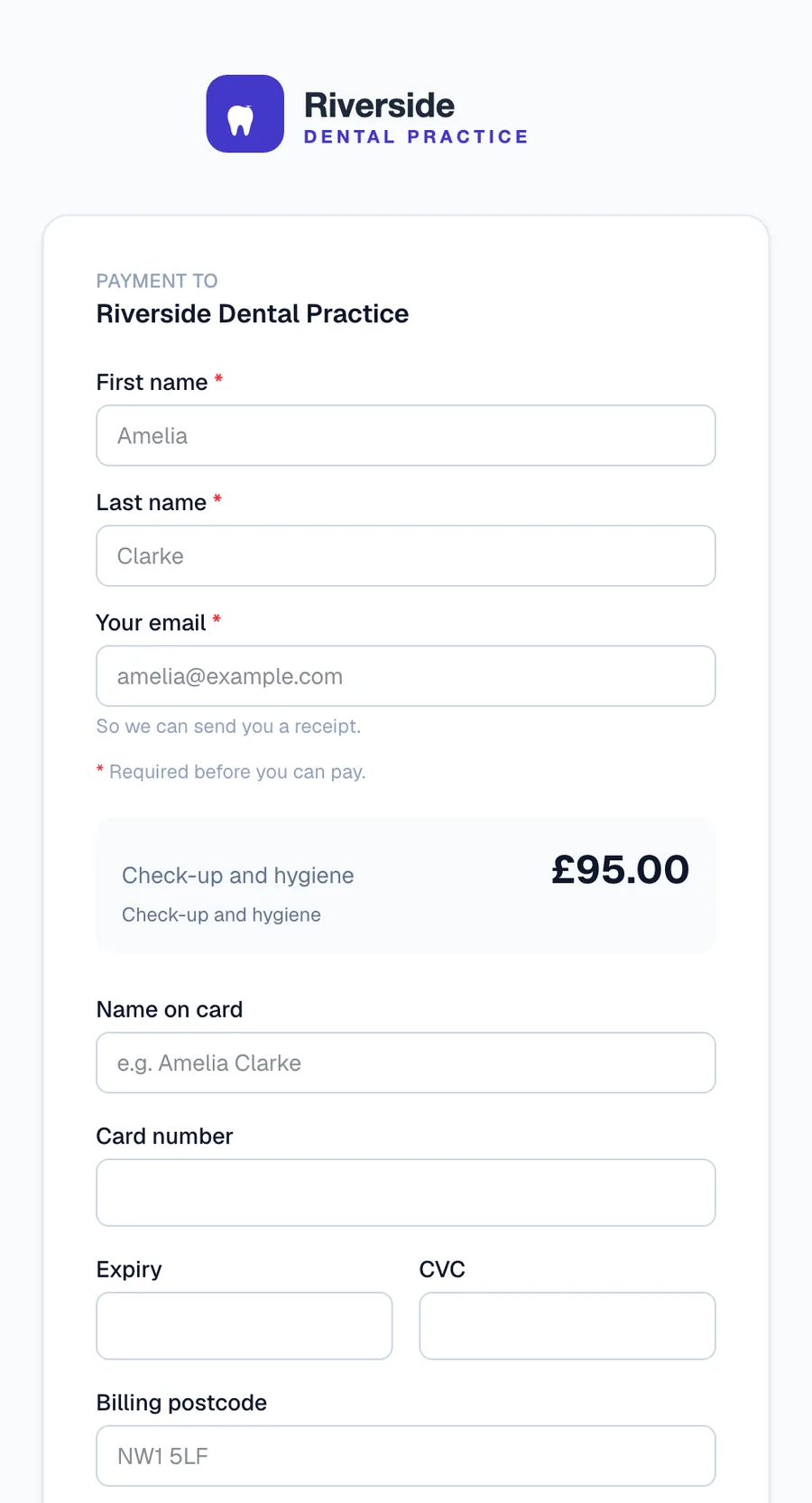
Your practice sent you a secure payment page for a specific amount, with your name and a reference on it. It comes by email or text from the practice, opens in your browser, and shows the practice's own name and branding.
How to pay
- Open the link and check the practice name, the amount and the reference match what you expect
- Pay by card, or with Apple Pay on an iPhone or Mac
- You will see a confirmation on screen and receive a receipt by email
Is it safe?
Your card details are entered into secure fields provided by PCI DSS certified payment partners. Neither the practice nor Medipay sees or stores your card number. If you are ever unsure a link is genuine, call the practice on the number you already have.
Paying in instalments
If your practice offered a payment plan, your page shows the deposit, the schedule and what has been collected so far. Each instalment is taken automatically on its date, and you can settle the remaining balance early in one tap.
Questions about your bill
Medipay processes the payment on your practice's behalf. For anything about the amount, the treatment or a refund, contact the practice directly.