Send a link. See it opened. See it paid.
Every link carries the patient's name and a reference. You see when it is opened, reminders go out on the schedule you set, and the payment lands in the list the moment it is made.
Send pay links, take payments over the phone or on a card machine, run instalment plans and reconcile everything - in one portal your whole team can use.
Set up in days, not months. Your branding, your team, your reporting.
Card details go into secure fields from the payment partner, never into the portal.
| Patient | Reference | Amount | Status |
|---|---|---|---|
| Amelia Clarke | INV-2041 | £95.00 | Paid 10:42 |
| Daniel Osei | INV-2042 | £320.00 | Opened 11:05 |
| Sam Whitfield | INV-2038 | £60.00 | Paid yesterday |
Every link carries the patient's name and a reference. Reminders go out on your schedule.
| Patient | Channel | Amount | Status |
|---|---|---|---|
| Amelia Clarke | Pay link | £95.00 | Paid |
| Priya Nair | Card machine | £150.00 | Paid |
| Daniel Osei | Saved card | £300.00 | Paid |
| Sam Whitfield | Virtual terminal | £60.00 | Refunded |
Search, filter by status, open any payment for its full story.
Every figure drills into the payments behind it.
| Payment | Channel | Amount | |
|---|---|---|---|
| Amelia Clarke | Pay link | £95.00 | Matched |
| Daniel Osei | Saved card | £300.00 | Matched |
| Priya Nair | Card machine | £150.00 | Matched |
| and 11 more |
Posted to Xero as paid invoices, reference intact.
Everything your front desk and finance team need, matching exactly what they see in the portal.
A virtual terminal for payments over the phone - fast, keyed entry with the safeguards built in.
Branded payment pages sent by email or text, personalised to the patient by name.
Spread treatment costs over weeks or months with collection handled for you.
Every pay link opens a page carrying the practice's own logo, the patient's name and the reference, so nobody has to wonder what they are paying for. Card details go into secure fields from certified payment partners, and the receipt goes out on its own.
More about pay links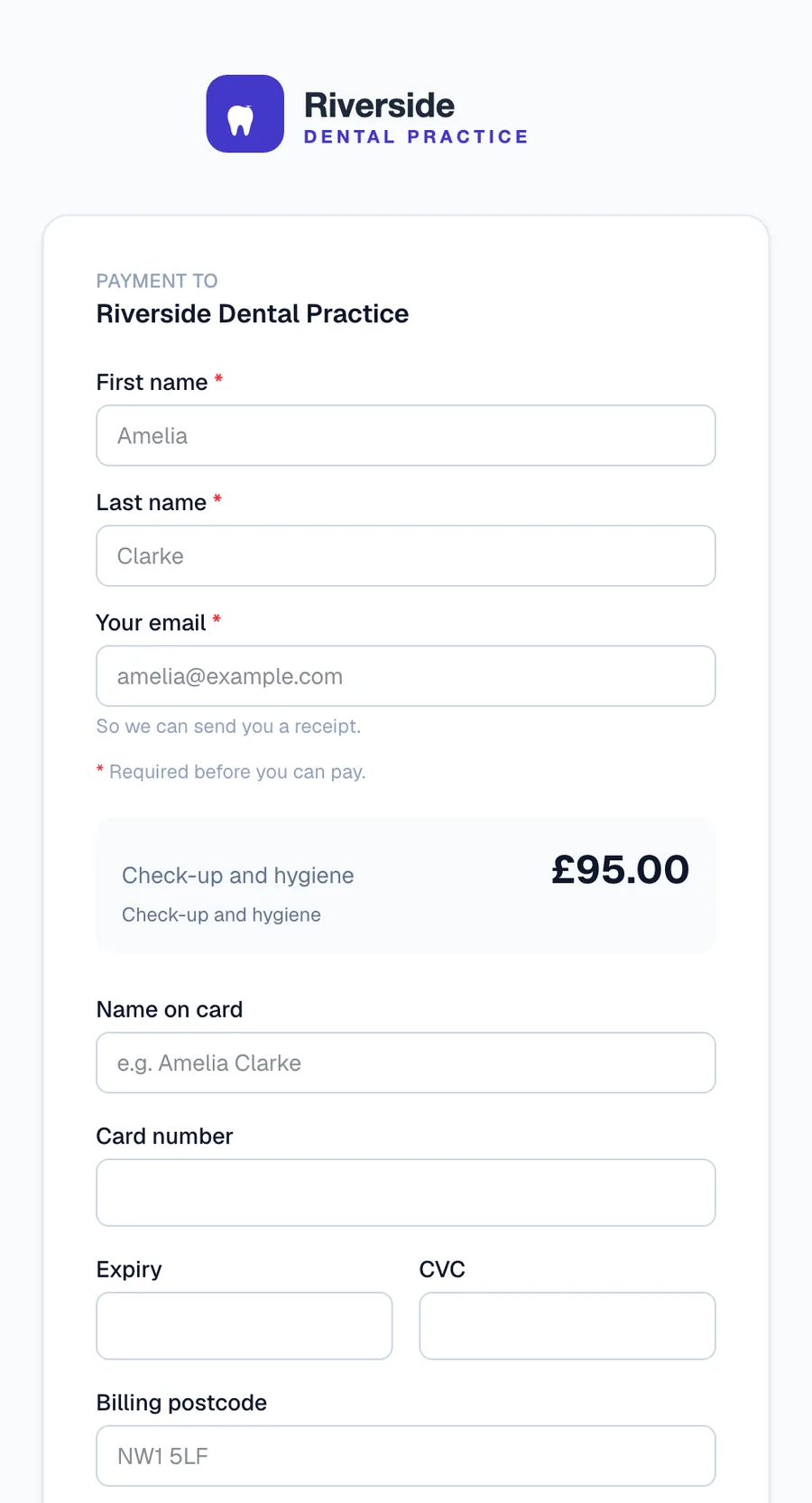
Takings by staff member, channel and card type, with month-on-month and VAT summaries. Export everything.
Match acquirer payouts to payments and see fees and net amounts line by line.
PAX terminals that take payments pushed straight from the portal, recorded automatically.
Upload a CSV and create a run of payment links in one go.
A patient directory with payment history, saved cards and a personal payment portal per patient.
Admin, supervisor and staff roles with a permission matrix you control - down to who can refund.
Emailed to the patient automatically, printable as PDF, branded to your practice.
In-portal chat answered by our assistant and our team - no ticket black holes.
Pay-by-bank straight from the patient's banking app, with no card fees.
Each one is in the interactive preview at the top of this page. Click through it: every button works and nothing is real.
Every link carries the patient's name and a reference. You see when it is opened, reminders go out on the schedule you set, and the payment lands in the list the moment it is made.
Name, reference, amount, then the card into secure fields served by the payment partner. Charge now, or pre-authorise for a deposit and capture later. The duplicate guard warns before a second charge slips through.
Deposit first, then each instalment collected on its date from the saved card. The plan shows what is paid, what is next and what is left, and the patient can settle the balance early in one tap.
Each acquirer payout is matched to the payments inside it, then posted to your accounting software with the reference intact. What is unmatched is the exception, not the job.
Connect from Settings in a couple of clicks. Medipay payments flow back into the systems your practice already works in - no manual reconciling, no re-keying.
Patients and appointments stay in step with your clinical system.



Every payment posts into your books automatically.
 Xero
Xero
 QuickBooks
Salesforce
QuickBooks
Salesforce
Meddbase, Pabau and NexHealth are on the way. Building on something else? Use the API.
Medipay sits in the middle: it takes payment however the patient wants to pay, posts the result back into the software you already run, and settles into your own account.
Patients type their card into secure fields served by our PCI DSS certified payment partners - card numbers never reach or rest on our servers.
TOTP two-factor on staff accounts, brute-force lockout on sign-in, and IP allowlisting per workspace.
ICO registered. Patient data stays scoped to your practice, with role-based access and a full audit log.
Transactions are processed and settled by FCA-regulated acquiring banks, direct to your practice account.
Tell us about your practice and we will have you taking payments in days.
Tell us about your practice, or talk to us about how you take payments today.
Per-transaction pricing with the fees laid out in the portal. No tie-ins on the software.
Ask about pricing ›A REST API, webhooks and an MCP server so your own systems can take payments too.
Integration options ›